Holo
Dash
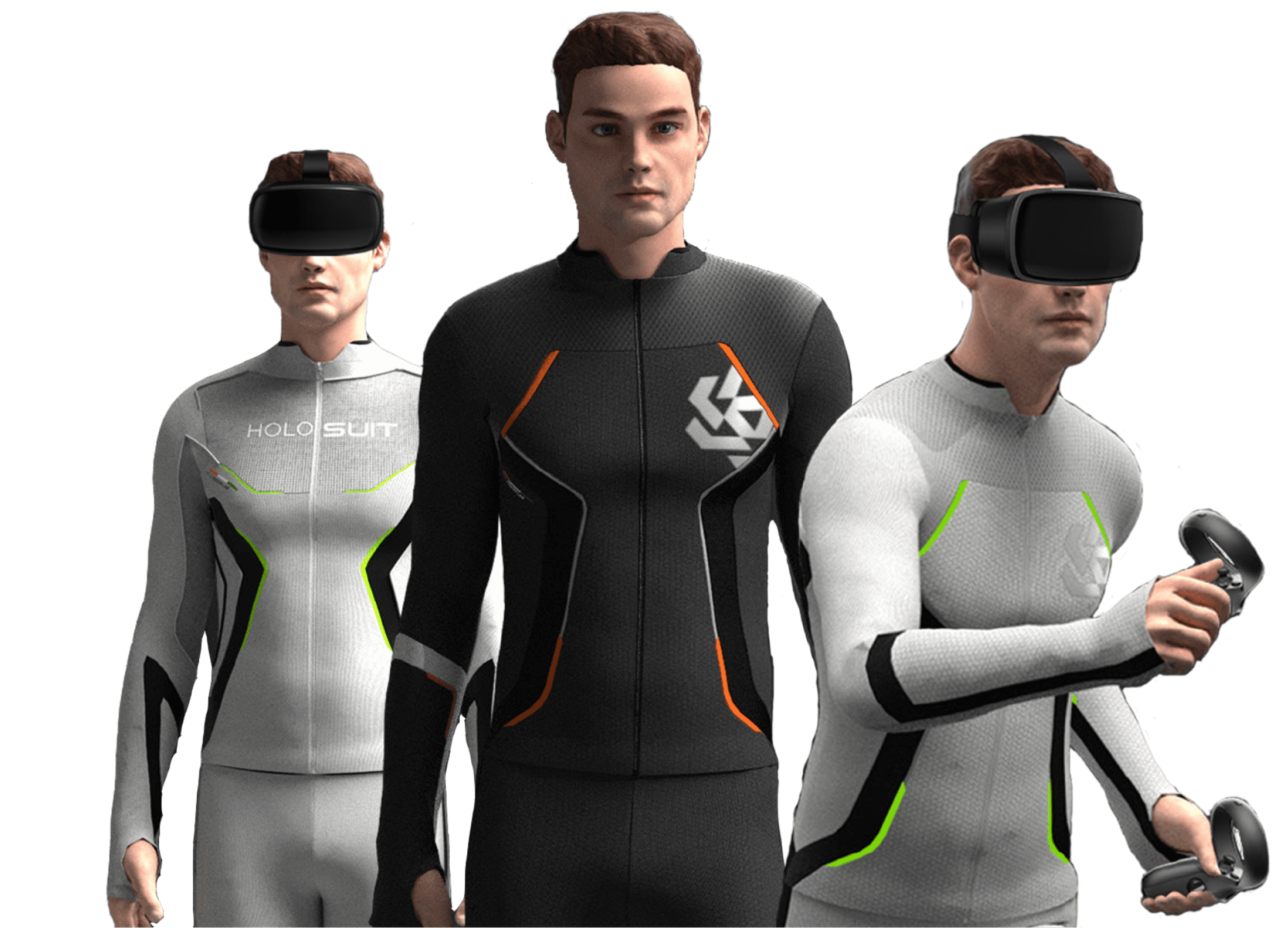
A real-time monitoring dashboard for HoloSuit, a 42-sensor haptic suit used in safety-critical enterprise XR training
Setup time, down from 30 min
First-attempt task completion
Delivered in 12 months
Concept to production
Overview
While leading HoloSuit development and deployments, every client installation required support team intervention. Most clients had no technical expertise and were managing 5 to 10 suits each. The only way to configure or diagnose a suit was through a terminal, making setup slow and error-prone in the field. I proposed HoloDash, a dedicated dashboard giving enterprise clients a visual, self-sufficient way to set up, calibrate, and diagnose their suits with real-time motion visualization.
Top Industry Partners



My Role
End-to-end product design, from research to handoff
01
User Research
Interviewed deployment teams and developers to map core workflows and uncover pain points before design began.
02
System Architecture
Mapped suit hardware, firmware, and dashboard data flows to ground every design decision in technical reality.
03
Design System
Built a Figma component library covering tokens, states, and device card patterns used consistently across the dashboard.
04
Dev Collaboration
Led the dev team through weekly syncs, handoff specs, and edge-case documentation.
05
User Testing
Moderated lab and field sessions with internal and client users. Uncovered a critical calibration flaw, redesigned before launch.
06
Stakeholder Management
Led project planning and internal alignment. Presented to enterprise stakeholders, aligning on scope, priority, and visual direction.
The Product
What is HoloSuit?
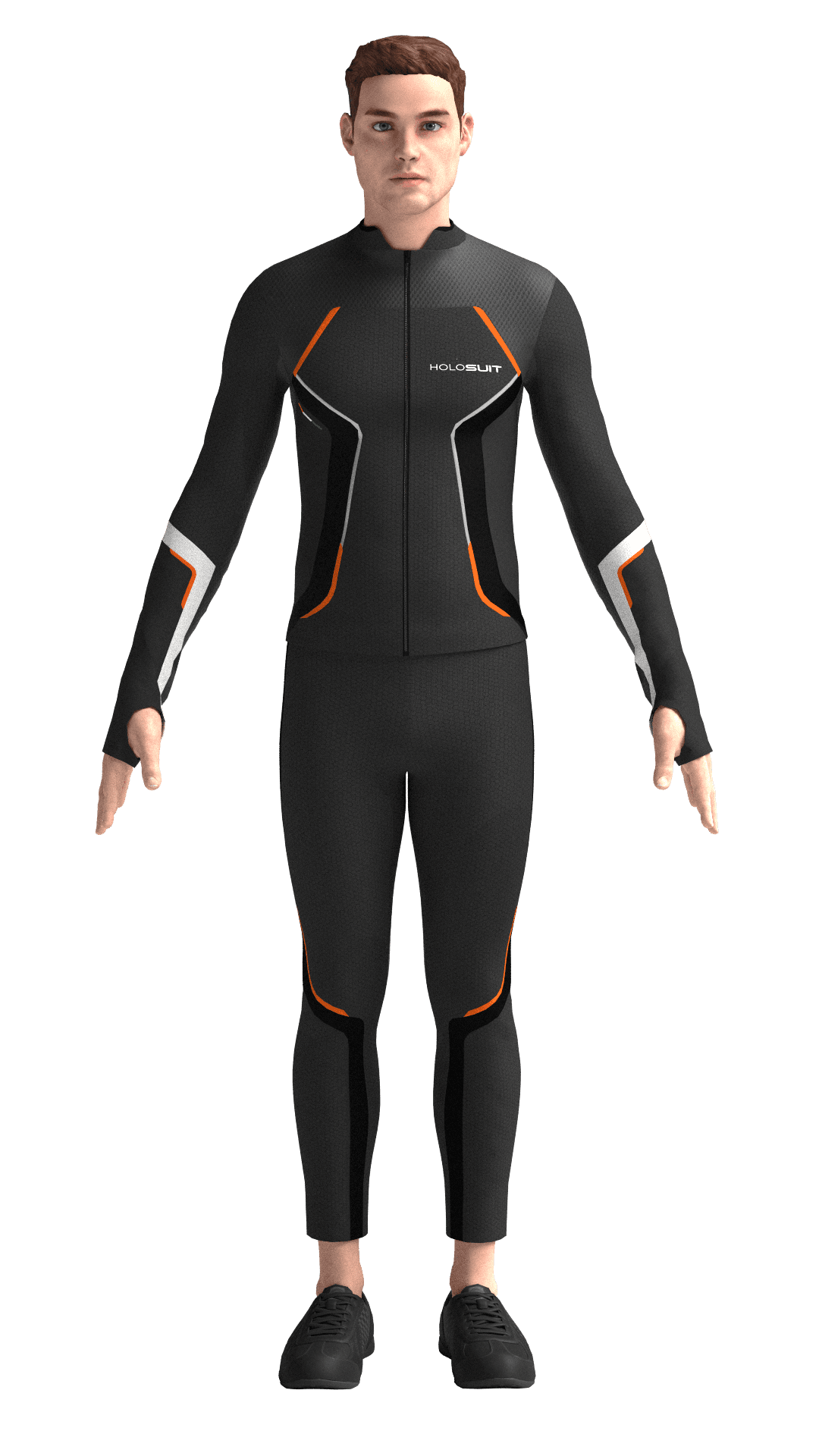
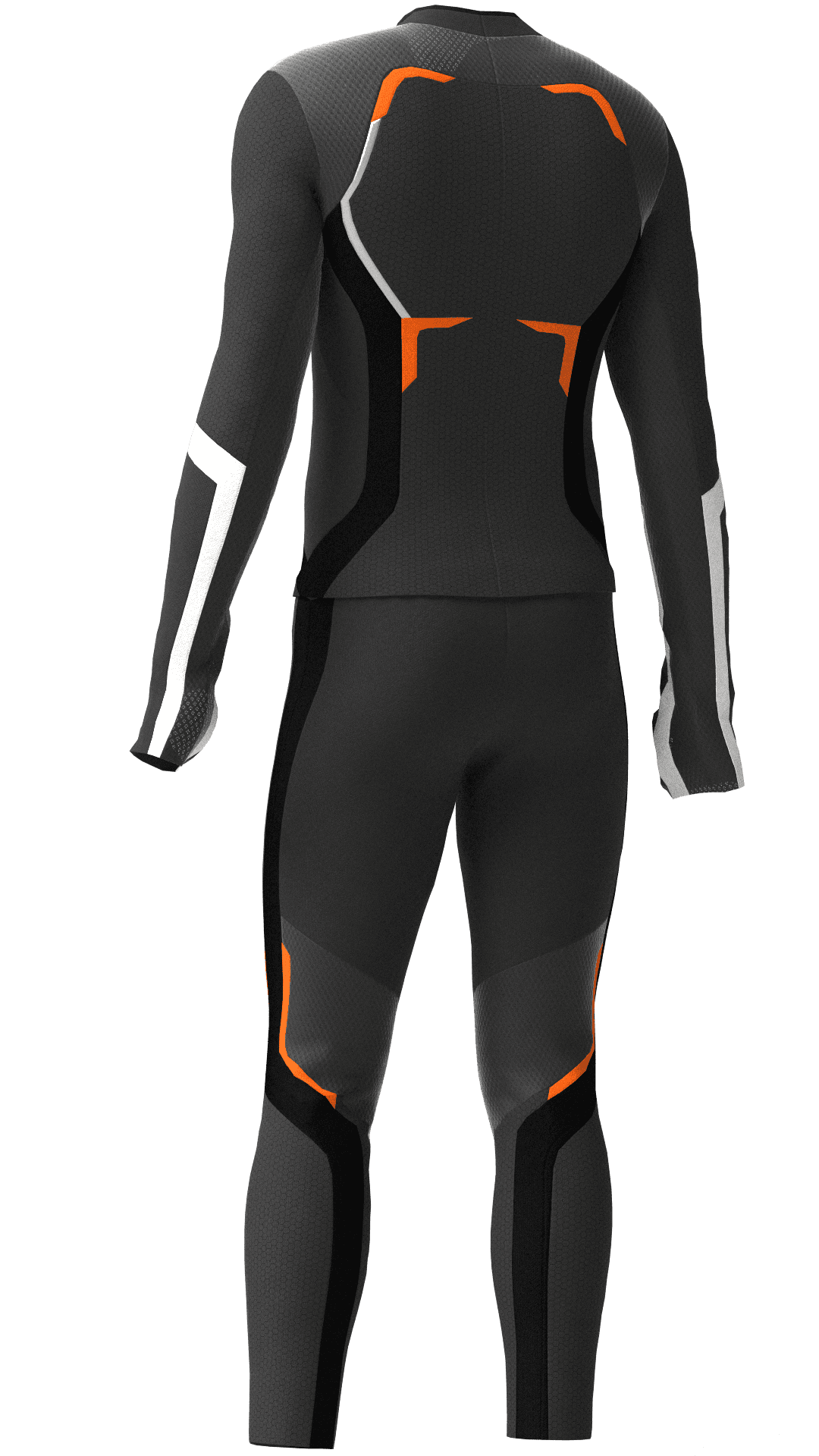
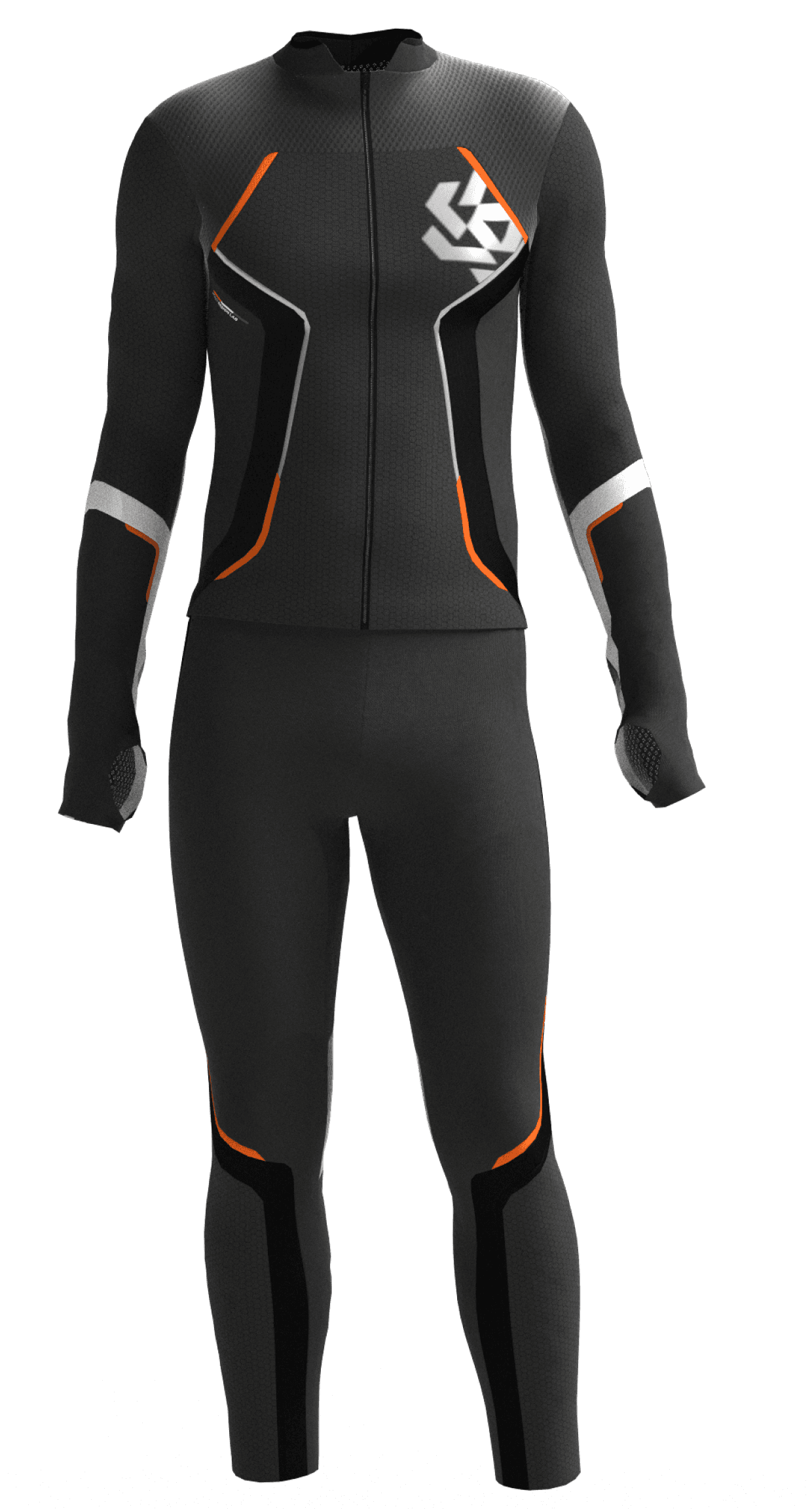
A full-body motion capture suit with integrated haptic feedback. 42 sensors track movement, 26 haptic zones deliver physical sensation, making digital environments feel real. Built for sports, healthcare, tactical training, and animation.
Design to Code
Try it yourself
Transformed the design into a fully interactive prototype using an AI-assisted design-to-code workflow. Click through the working product.

Inside HoloDash
Onboarding
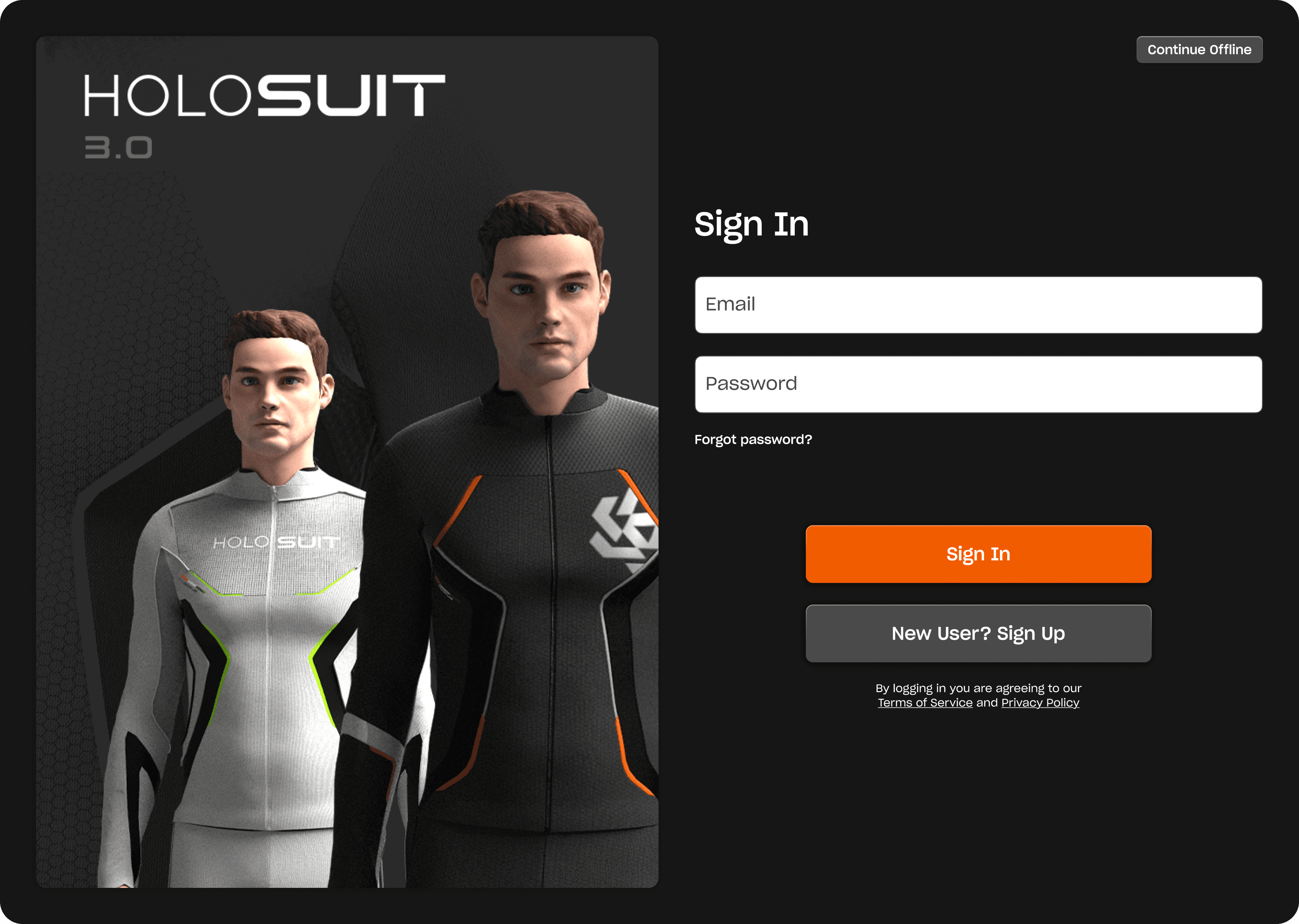
Sign In / Sign Up
A clean sign-in and registration flow that gets users into the dashboard quickly.
Connect & control
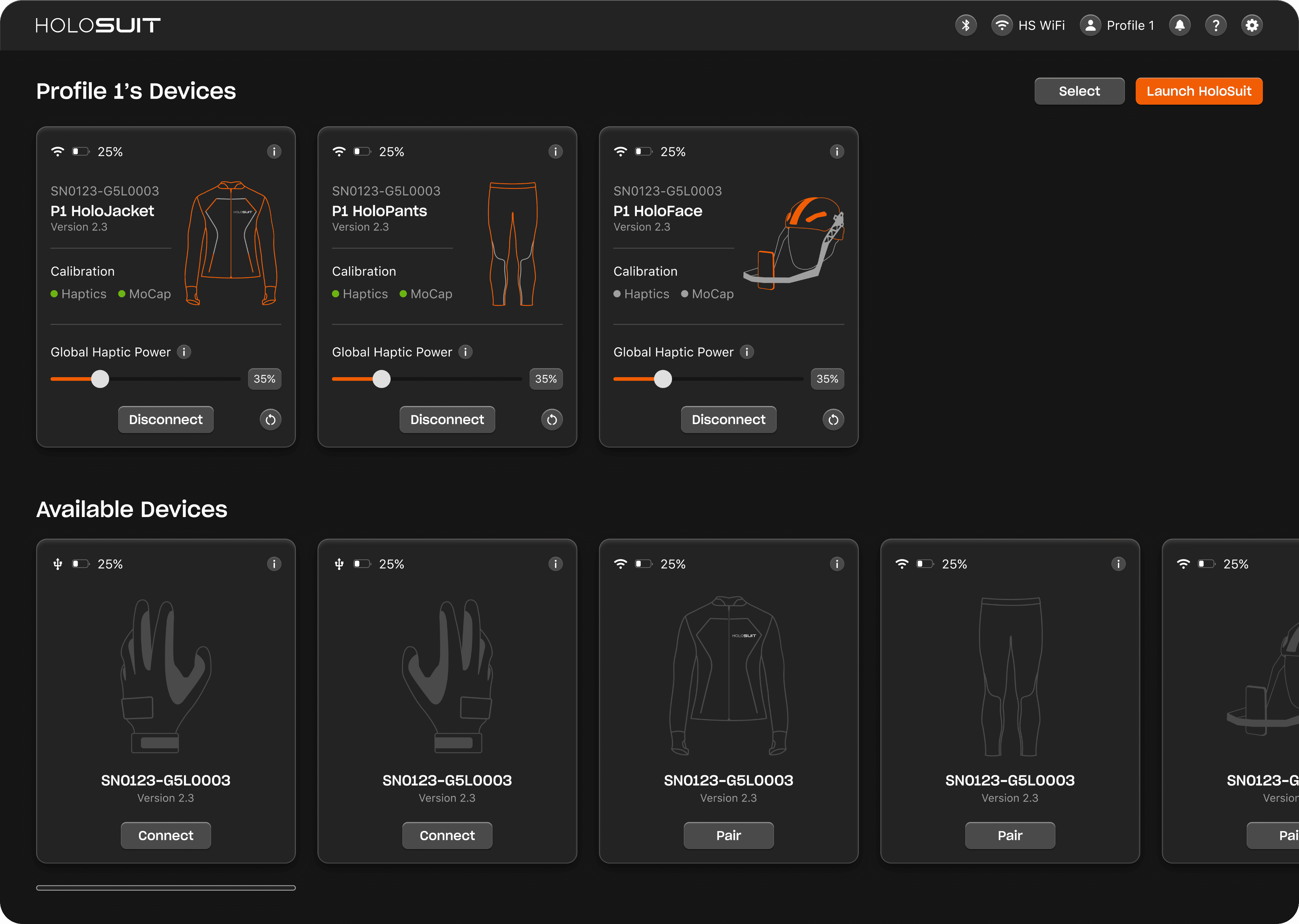
Device Management
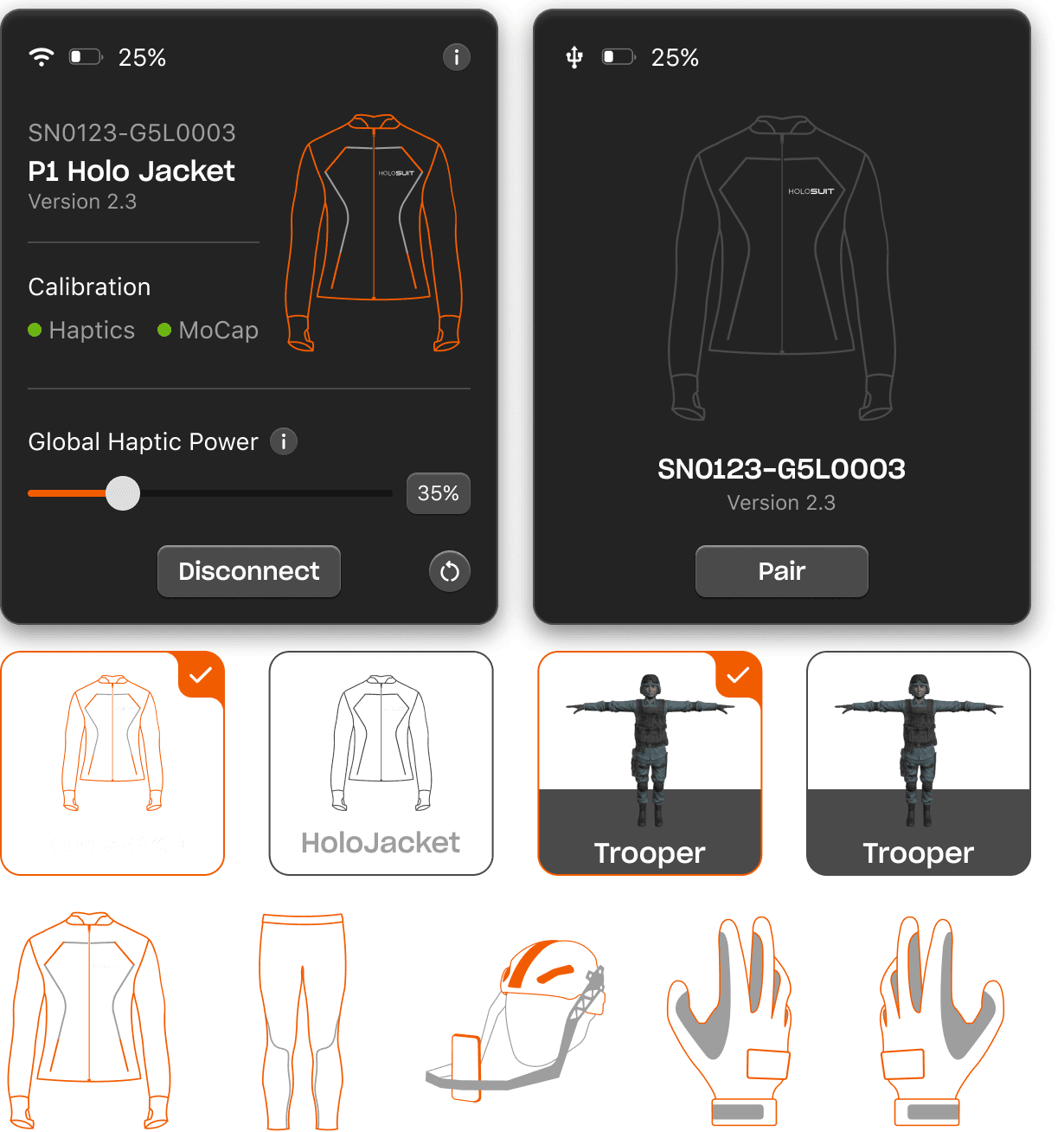
Users manage all suit components from a single dashboard. Device cards surface connection status, battery, calibration state, and haptic power at a glance.
Calibrate & go
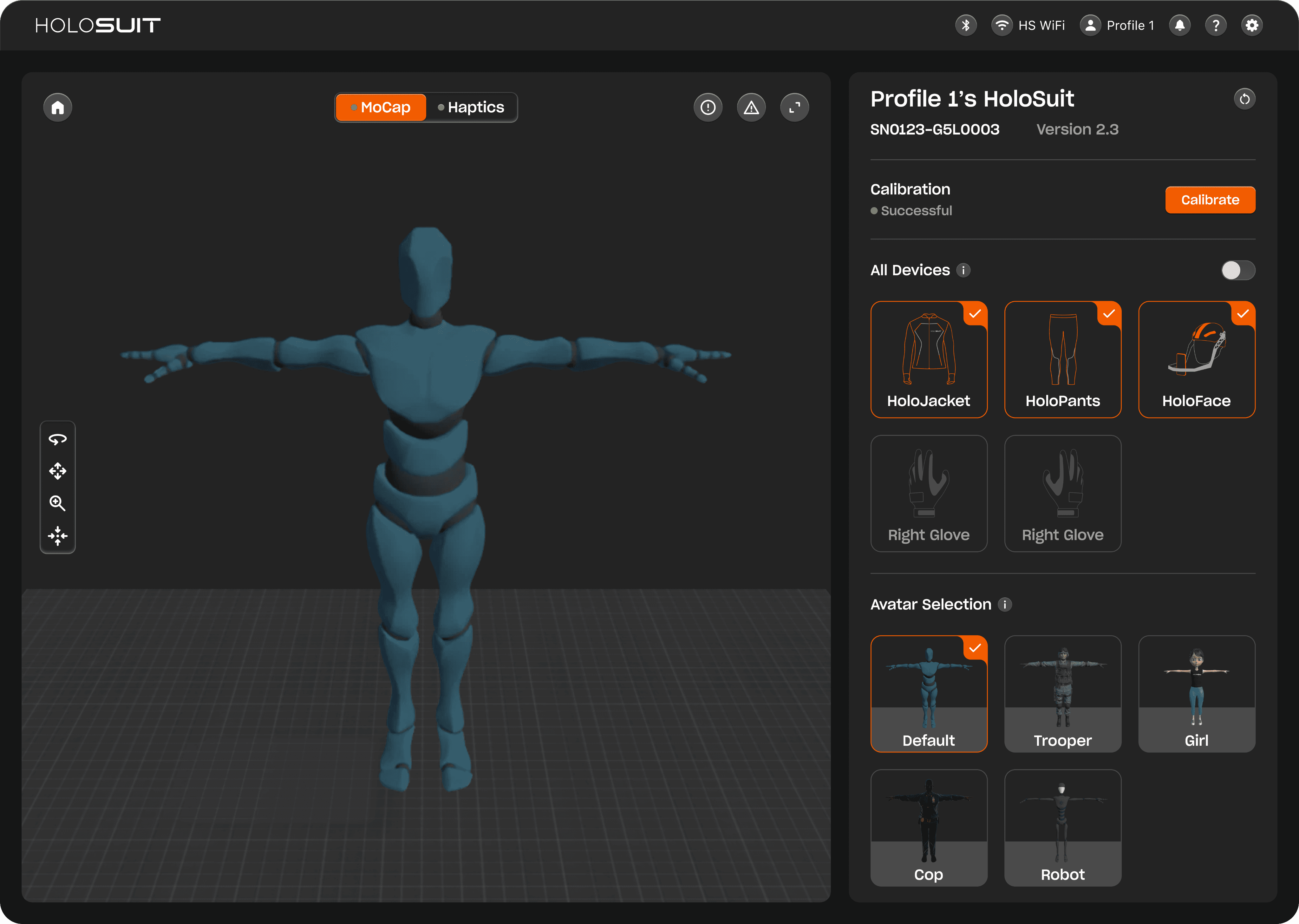
Motion Capture
Device selection, avatar customization, and a guided calibration countdown in a single view, reducing setup friction before every session.
Zone-by-zone haptic feedback
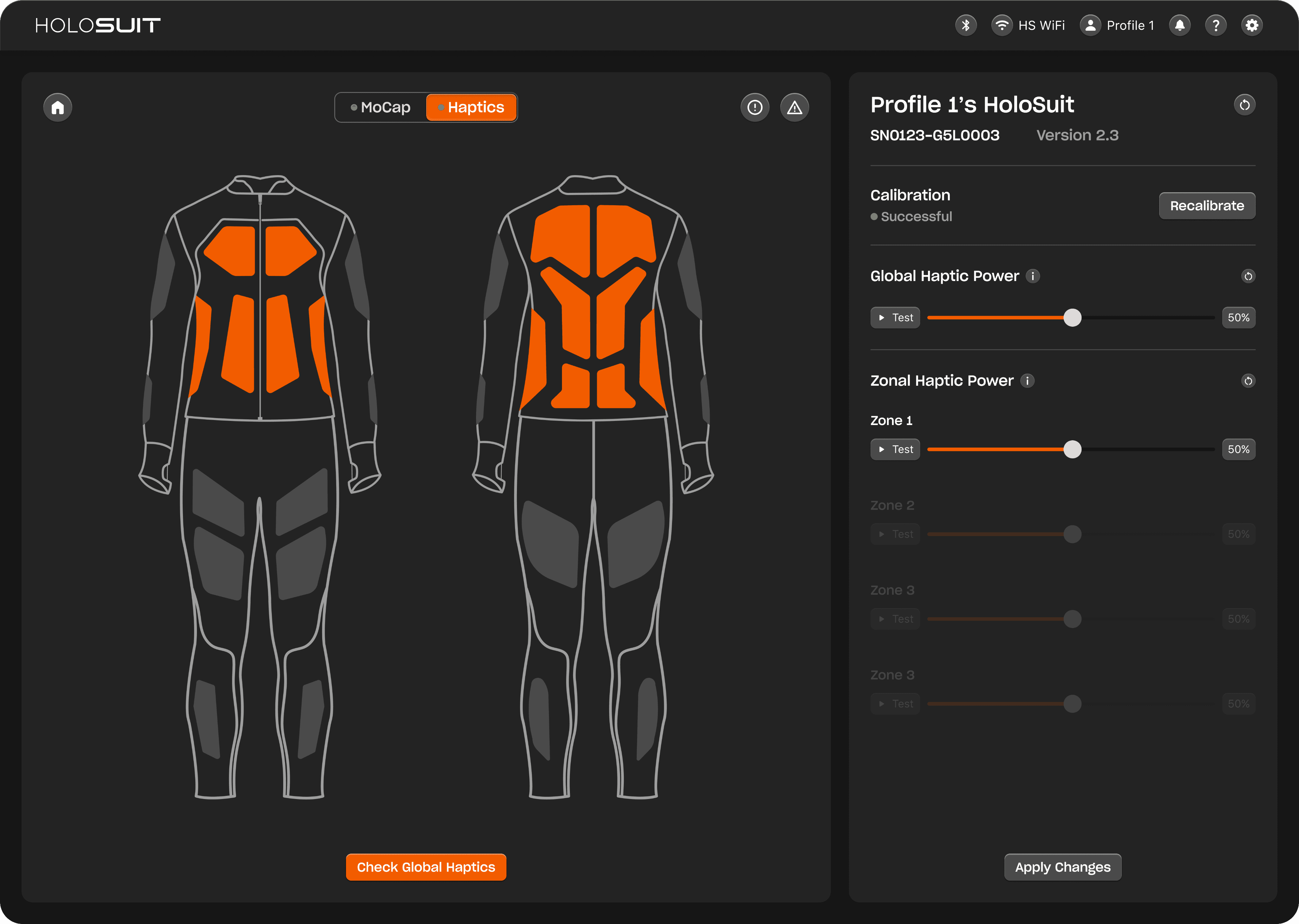
Haptic Control
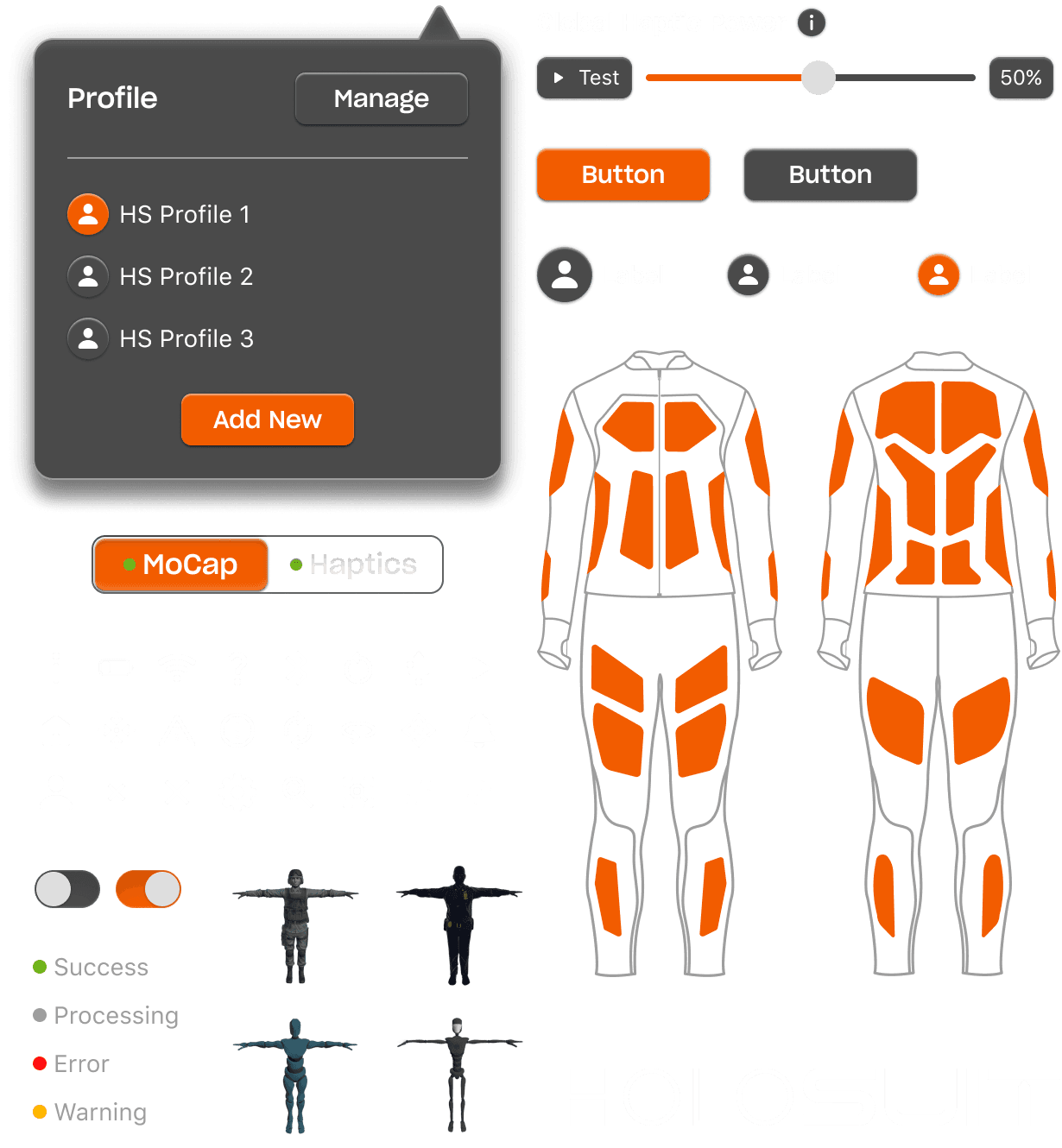
Users tune haptic intensity globally or by zone. Selecting a zone highlights it on the suit diagram, creating a direct spatial connection between the control and the body.
Designed for real conditions
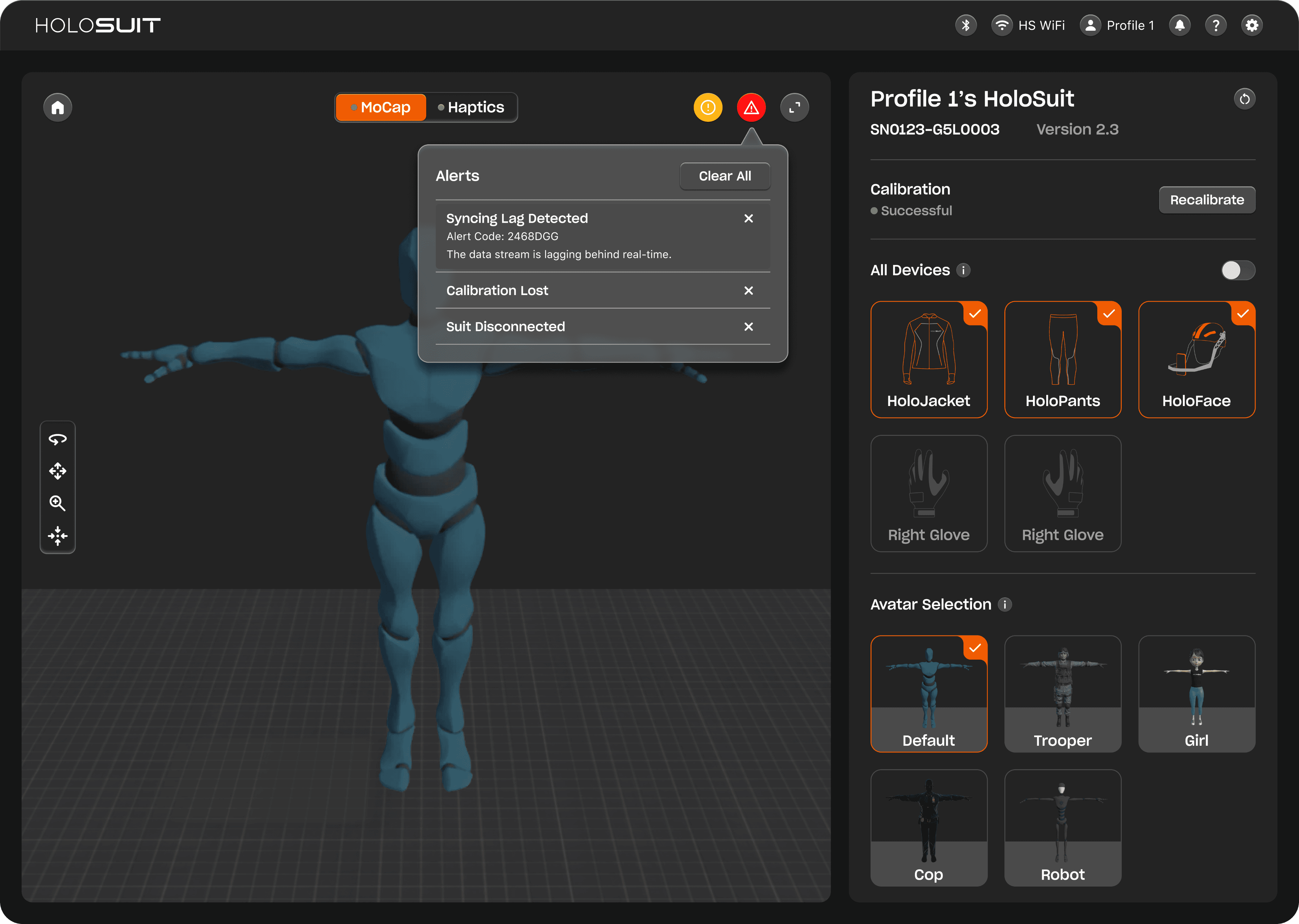
Edge Cases
The suit operates in dynamic physical environments, so failure is anticipated by design. Error codes and recovery actions surface instantly, keeping users in control through drops, interference, and disconnects.
DESIGN LANGUAGE
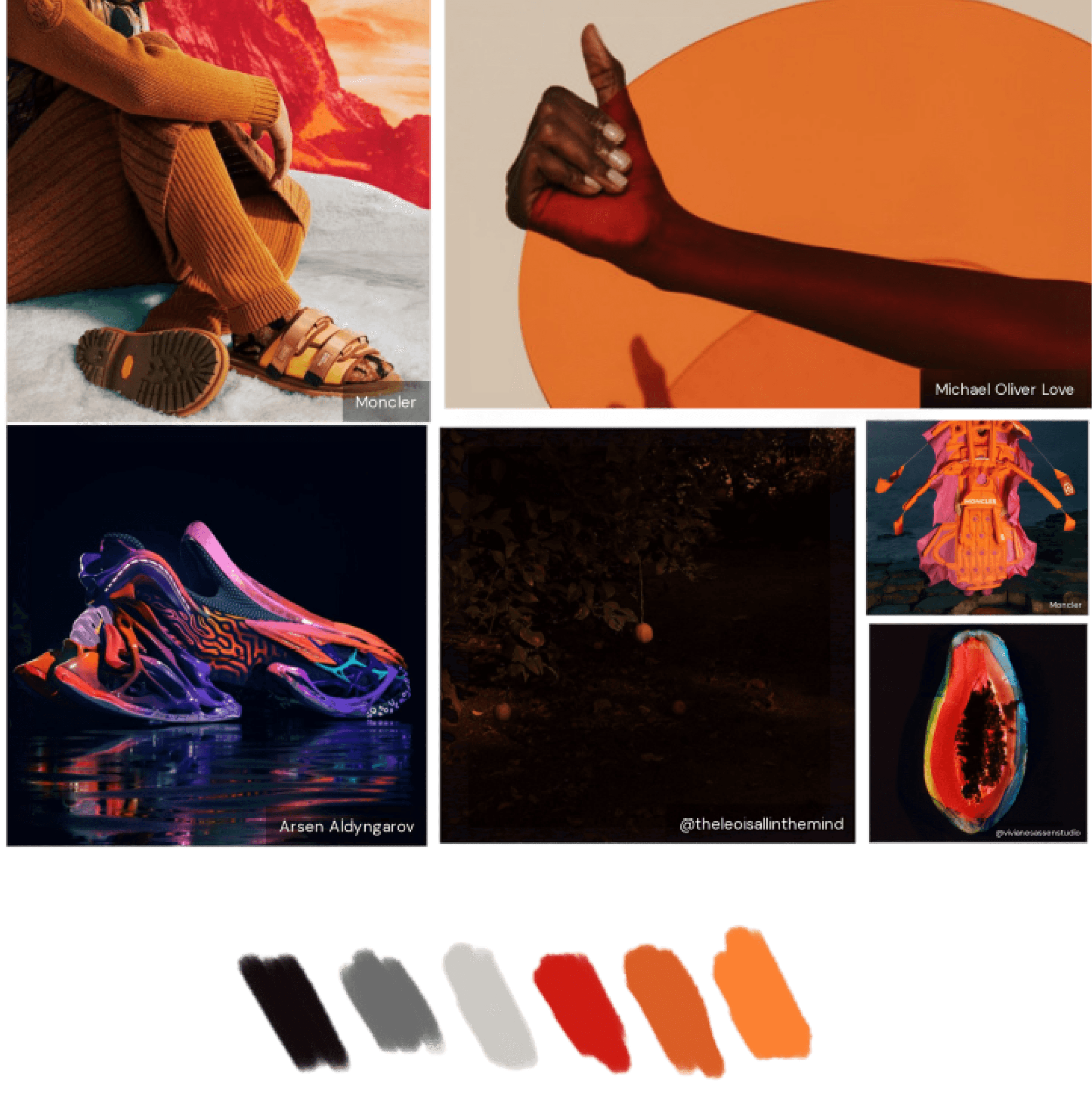
Brand Direction
Colors, typography, and visual language drawn from the suit's physical form and a curated moodboard, built to feel as precise and technical as the hardware it supports.
DESIGN SYSTEM
Built to Scale
A lean component library in Figma covering color tokens, typography, states, and device card patterns, keeping the dashboard consistent across a fast-moving multi-developer build.
Outcome
Shipped to enterprise clients
"The most advanced VR suit we have ever seen, with tremendous possibilities." - Lockheed Martin
01
HoloStar Award
Recognized with the HoloStar award for on-time delivery. HoloDash launched alongside HoloSuit 3.0, fully integrated, with 45 suits shipped to enterprise clients within 12 months.
02
Cross-Discipline Coordination
Bridged apparel, electronics, and software teams through shared design specs, weekly reviews, and annotated handoff documentation.
03
Calibration Redesign
User testing uncovered a critical flaw in the calibration flow. Redesigned as a guided sequence, reducing errors in field sessions before launch.
04
Stakeholder Alignment
Presented design decisions to enterprise stakeholders, aligning on scope, feature priority, and visual direction through the full engagement.